
Prototype
To demonstrate all seven steps of FOMENO, we built a prototype that reconstructs a piece of intangible heritage: a row dance from the ancient city of Sagalassos. It returns the dance to its original location as a mobile AR app, and to anywhere else as a mixed reality experience for the Meta Quest 3.
We worked through all seven stages of the pipeline, reviewing what we had at each one with our mentors at Koç University and with the excavation team at Sagalassos. Several stages we did more than once, going back to work in what they told us, or to fix something that only surfaced later. The list below is in order. The work was not.
Below are the seven steps of FOMENO and what we did for each one on this prototype. Open a step to see it, or follow the link beside it for that step's full entry on the Pipeline page, where the method, the tools and the alternatives are set out in full.
Character
- See in pipeline for step 1: Generate the character
Generate the character
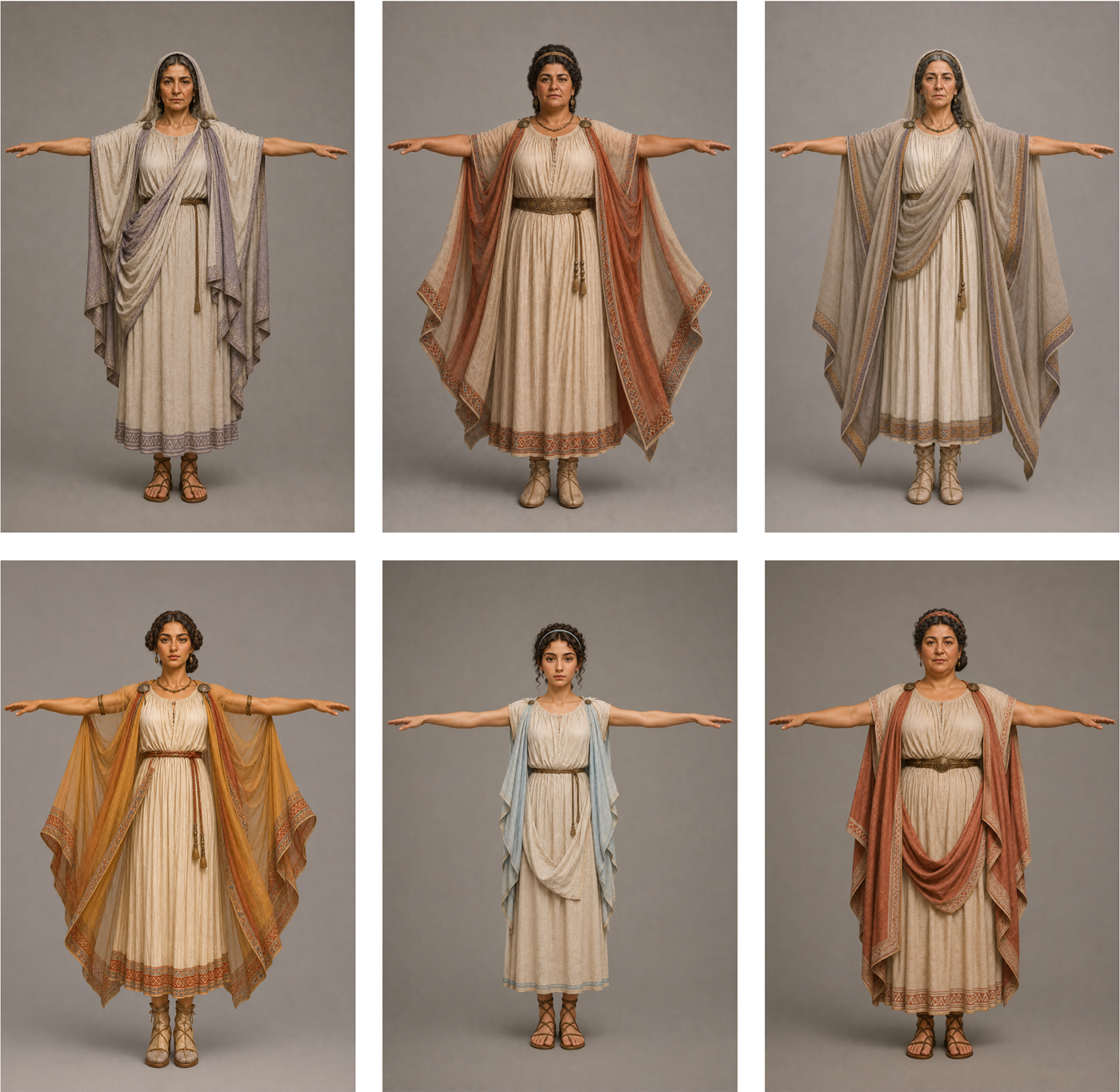
Our sources were publications on how the figures looked at the site and period (source documents). We gathered them into Google NotebookLM and asked it to pull the relevant detail and write a prompt for an image generator, rather than describing the character ourselves. We also told it what the images were for: because the character had to be rigged later, we needed a neutral T-pose, and the prompt had to account for that. We then generated the images from that prompt in ChatGPT.
That first round was a starting point, not a result. We took the images to the excavation team at Sagalassos and went through them together. Their corrections were mostly in the detail the generator had filled in for itself: the accessories, the colours of the clothing and the hair, and how the garments were worn, including whether the figure should be veiled. That went back into the prompt and we generated a second round, which was far closer to the sources. Those are the images the rest of the pipeline was built on.
 (view full size)
The first round, generated from the source documents alone. 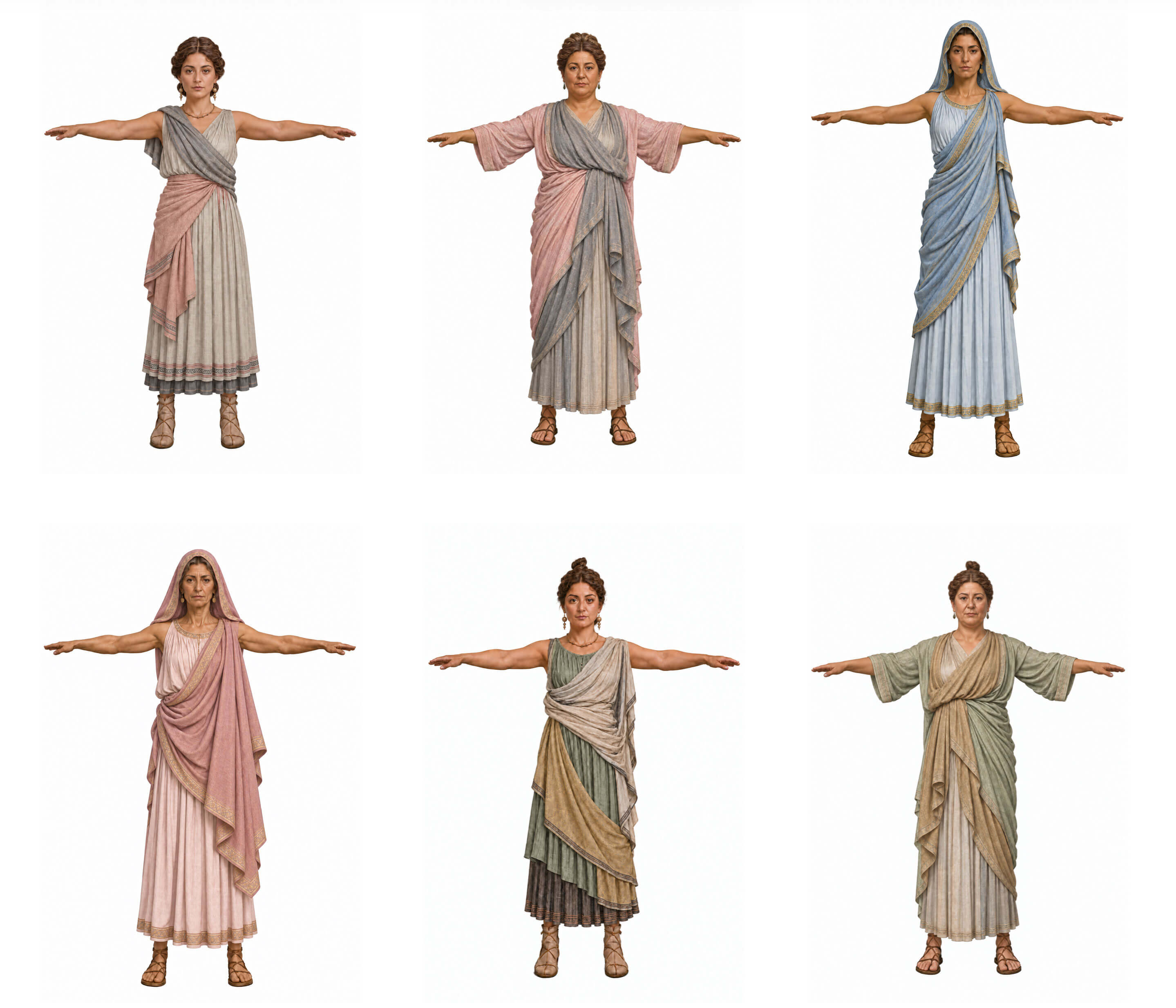 (view full size)
The second round, after the excavation team's corrections. These are the images the rest of the pipeline used. What brought us back
Once. The excavation team's review of the first round sent us back through the generation again, and the second round of images above is the result.
- See in pipeline for step 2: Build an animatable 3D model
Build an animatable 3D model
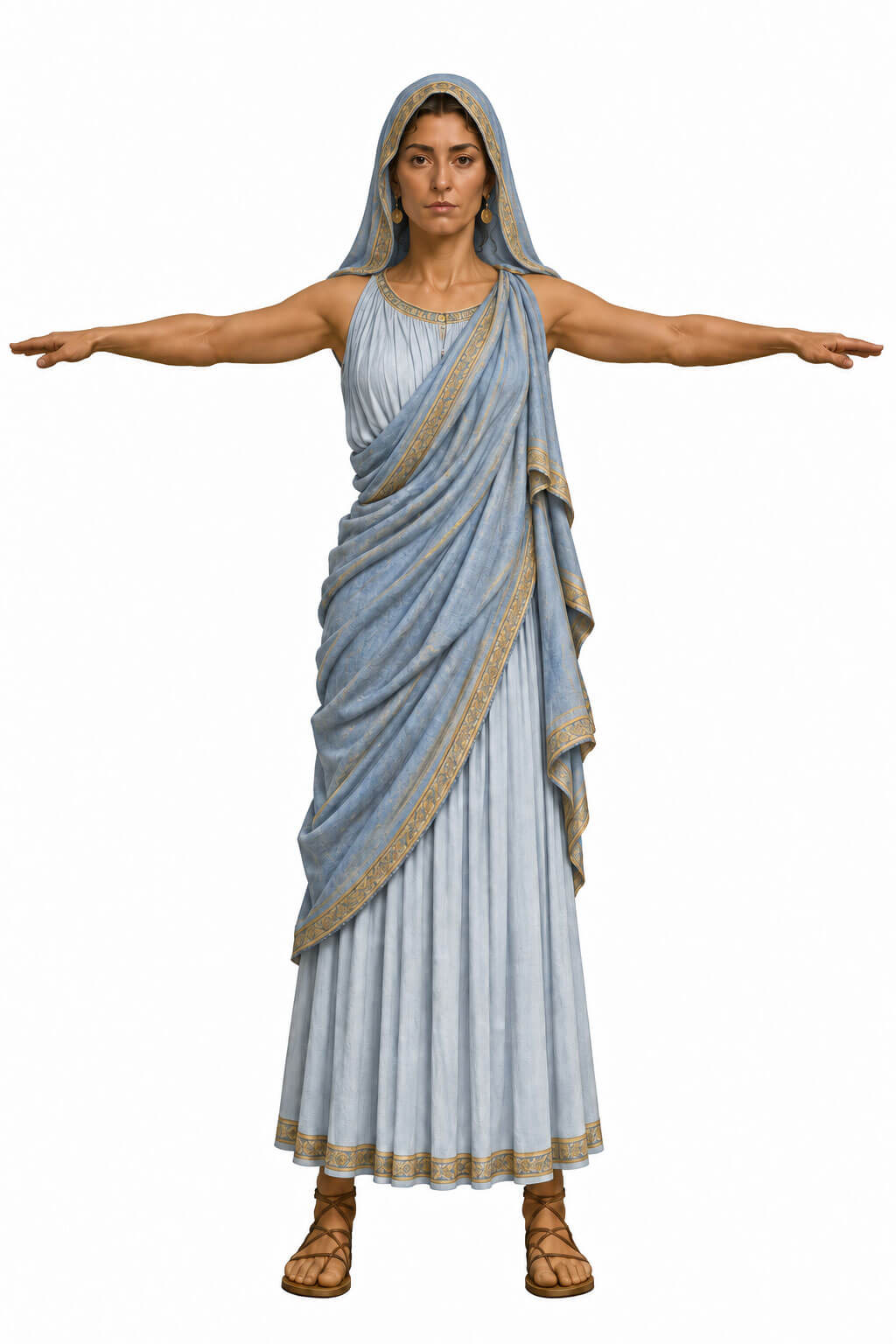
Rather than modelling each character by hand from the reference sheet, we generated the model from the 2D T-pose images. We began in Meshy.ai but could not get a usable rig out of it, so we moved to Tripo3D for the model and for separating the costume into parts, and rigged it in AccuRig.
 (view full size)
The finished model, rigged and in its T-pose.
Movement
- See in pipeline for step 3: Source the movement
Source the movement
We did not stage a shoot ourselves. We were fortunate to find Ninfe Nereidi Danze Antiche, a dance company already performing dances similar to the ones we wanted to capture, and with their permission we used some of their footage. That meant the movement came from people who perform it, rather than from a description of it.
That footage was filmed as a performance, though, not for a machine to read, so it did not go into the capture step as it was. We used it as the reference for AI video generation and generated our own video from it, closer to what the capture step needs: one dancer at a time, the full body in frame throughout, and the clothing clearly distinguishable from the background. That generated video is what the motion was captured from.
Within the scope of this prototype we worked from the company's public videos alone. Their repertoire is close to what may have been danced at Sagalassos, which was what a prototype needed, while the steps and the choreography themselves are still to be researched. What you see is a dance of the right kind, rather than a reconstruction of one particular dance.
Ninfe Nereidi have offered to look into the dance at Sagalassos in more depth and to record a performance made for motion capture. That goes beyond this prototype, and it is where we would take the work next.
The company's footage, which we used as the reference for the video we generated. The video we generated from it, which the motion was captured from. - See in pipeline for step 4: Capture the motion
Capture the motion
We fed the source video from the previous step into iClone's Video Mocap add-on, which reads the movement out of the video and outputs it as motion data.
The source footage set up in iClone's Video Mocap, ready for full-body detection. The captured motion data played back on a plain figure, in front of the source video it came from. - See in pipeline for step 5: Apply the motion to the model
Apply the motion to the model
We used Unity as our distribution platform, so we combined the animation data and the rigged 3D model directly in Unity.
The character performing the captured movement, beside the footage it was taken from.
XR
- See in pipeline for step 6: Add supporting elements
Add supporting elements
We assembled the scene in Unity, the platform we were already working in, and everything below was done there apart from the music. What we added:
- A composition of several dancers, rather than the single figure the earlier steps produced.
- Music, generated from the direction the experts gave us. We generated it with Suno, then mixed and mastered it in Ableton Live.
- Fine tuning the captured dance animation, so that it fitted the music and the composition.
- A place: we used MultiSet AI to map the dance onto the Hadrianic nymphaeum at Sagalassos.
The composed scene, with the performers arranged and the audio in place. - See in pipeline for step 7: Compose for the medium
Compose for the medium
We prepared the prototype for publishing in Unity, the platform we had been building in, and published it to two media.
The first is a mobile AR app, installed on a phone and opened at the site. We created a location specific mobile AR experience, showing the dance in Sagalassos.
The second is a mixed reality experience for the Meta Quest 3 headset, showing the same dance. It is designed to be used anywhere.
The mobile AR app, running on a phone at the site. The Quest 3 experience shows the same dance.